Solo Stage
Solo Stage can be understood as a gameplay mode built on the original Freedom Mode. It includes two sub-modes: Freedom Mode and Stage Mode.
- Decide what kind of gameplay goal the current preset should achieve, or what kind of setup from other teams you want to reference
- Confirm that cast members and representative gifts have already been configured correctly
- Fine-tune details such as stage target scores, timing, and animation presentation
Freedom Mode
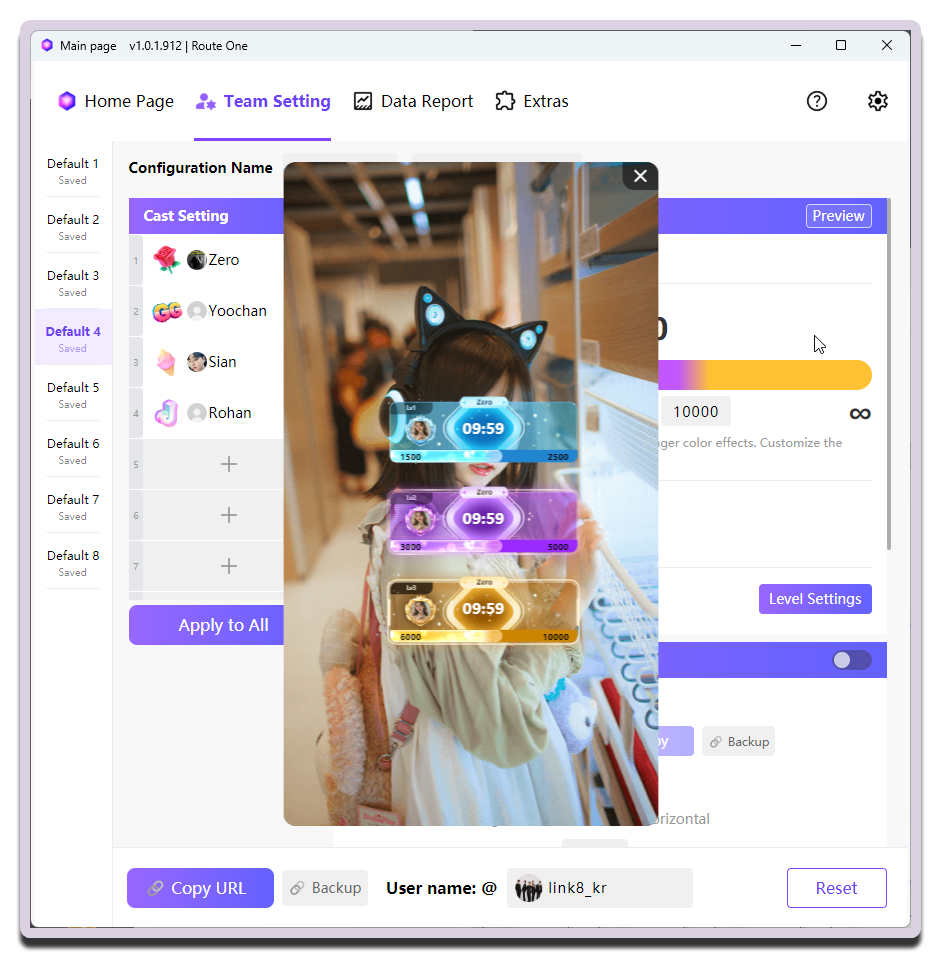
Freedom Mode does not set a completion target. Higher scores produce stronger color effects, and you can customize the score thresholds for color changes.
Stage Mode
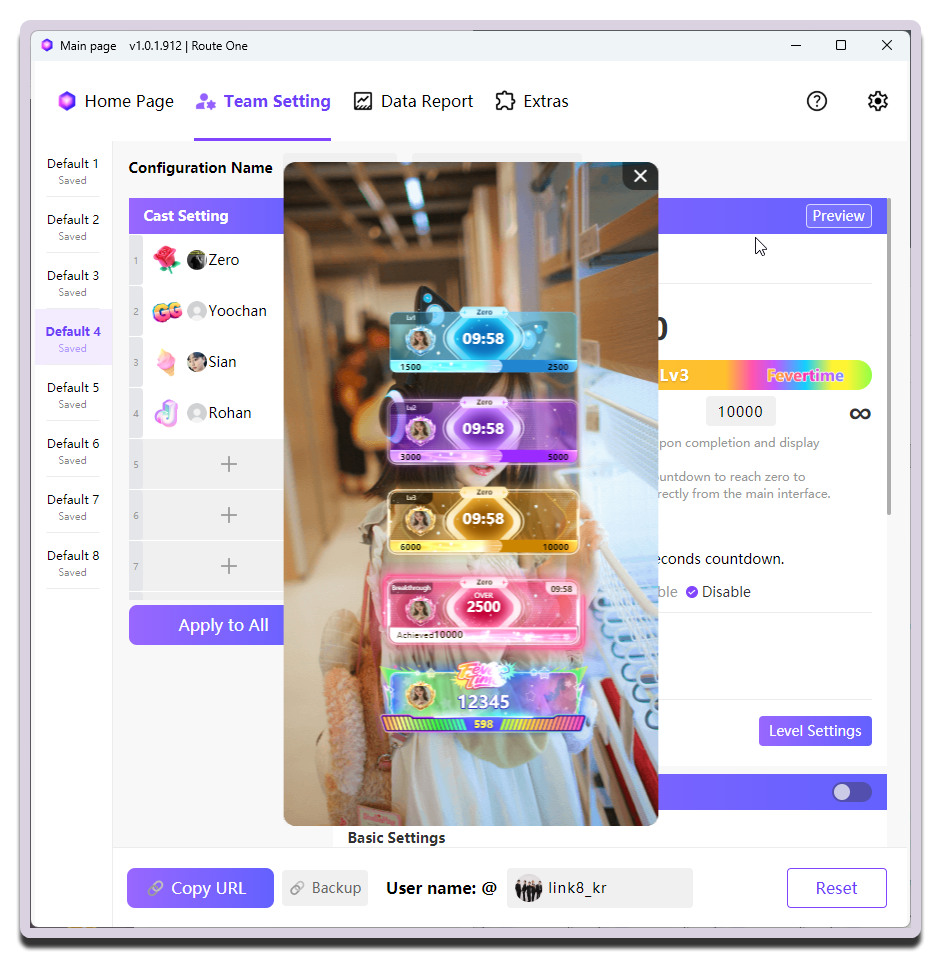
Stage Mode lets you set 3 vote-pull stage scores. After reaching a stage score, the next stage starts and the corresponding effect is displayed. It also supports Fever Time as an extra sprint period.
For example, when creators take turns going on stage, you can set the stage target scores based on the vote count of the creator who is currently leading, so everyone keeps overtaking one another for a reward.
INDEX
Operation surface: handles total duration and the base rhythm of progressionCast Setting: handles member configuration
Operation surface
General
| Setting | What it does | When to change it | Notes |
|---|---|---|---|
Duration (click the edit button to the left of the time area) |
Sets the duration (countdown) | - | In Freedom Mode, this is the total duration of the whole round; in Stage Mode, it is the base duration before Fever Time |
Stage Score Settings |
Sets the target score for each stage | - | In Stage Mode, you can also set the final target score |
| Stage Name | Names each stage | Change this when you want stronger stage flavor or clearer stage-by-stage storytelling (you can also keep Lv1, Lv2, and Lv3) |
Stage names cannot repeat; this is only available in Stage Mode |
10-second Countdown |
Controls how the final 10-second countdown is triggered | Auto is recommended; only use Manual if you want to control the rhythm yourself |
In manual mode, the MC / Host needs to click each number one by one |
Number Style |
Chooses the number style for the final 10-second countdown | Change this when you want stronger stage flavor or more impact from the digits | Preview first, then decide which style to use |
User Avatar Effect |
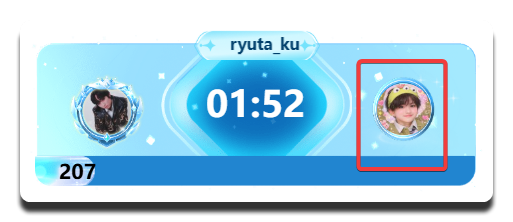
Sets an avatar effect that is triggered when a user reaches a certain single-gift threshold (shown on the right side of the Solo Stage widget) | - | Open it to set the gift-value thresholds required for different effect levels |
Preview of the avatar effect triggered when a single gift reaches the threshold:
Fever Time Settings
These settings only take effect after Fever Time is enabled.
| Setting | What it does | When to change it | Notes |
|---|---|---|---|
Fever Time Duration |
Sets the minimum duration of Fever Time |
- | - |
Accumulate Excess Time to Fever Time |
Controls whether unused base time continues to accumulate into Fever Time |
- | - |
Starting Fever Time
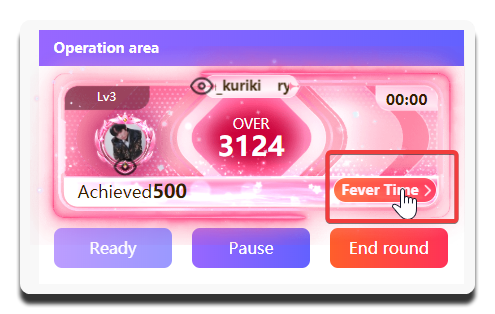
Fever Time is started manually by the MC / Host. If the final target score is reached before the base duration ends, the start button appears. (See below.)
Once the start button appears, you can still start it at any time even after the base duration has fully run out.