Voting Tool
Voting Tool is a lightweight comment-based voting widget for quickly launching either-or choices, multiple-choice polls, team-picking, or ranking interactions in a live room.
Voting Tool is different from the built-in Interactive Voting Settings included in some modes. It is a standalone widget with stronger guidance for live room interaction.
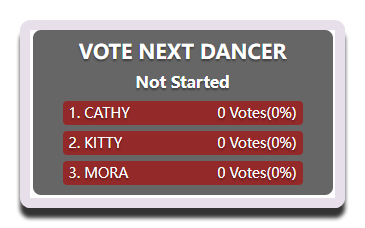
Overall Layout
The left side is the operation area, which lists all voting presets. You will use it both while configuring and while streaming.
The Start Vote and Clear Votes buttons are the most commonly used controls.
The right side is the configuration area. Prepare the votes you will use in the live session in advance, because configuring them on the fly is inconvenient.
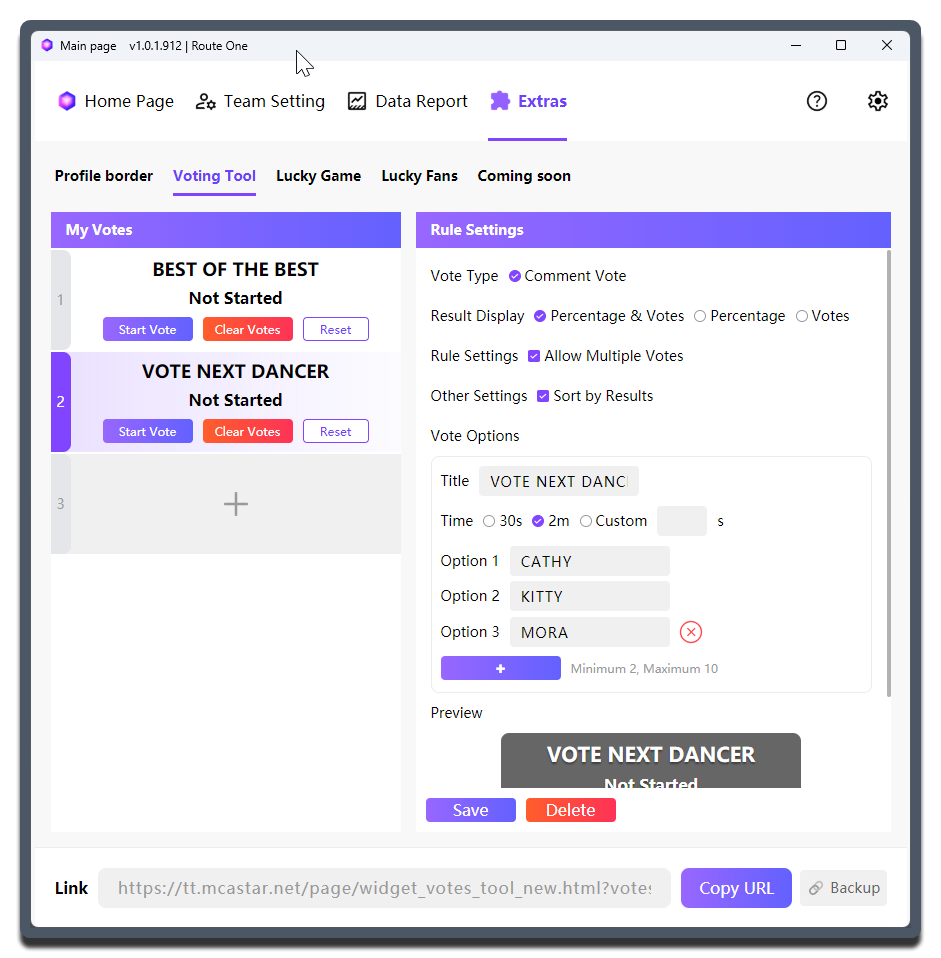
Setting Details
| Setting | What it does | When to change it | Notes |
|---|---|---|---|
Vote Type |
Selects how viewers participate in the vote | - | Currently only Comment Voting is supported |
Result Display |
Determines whether the widget shows percentages, vote counts, or both | - | Percentage + Votes gives the most complete information. Showing only Votes can better highlight the gap during a sprint |
Allow Multiple Votes |
Controls whether the same viewer can vote repeatedly | Adjust it depending on whether you want to encourage repeated commenting or keep it closer to one person, one vote |
When enabled, the interaction becomes livelier, but the result is also more affected by high-frequency comments |
Sort by Result |
Controls whether the options are reordered by results | Choose based on whether you want to keep the original option order or put the high-vote options first to highlight the leader | - |
Title |
Sets the question for this round of voting | - | Keep it concise because space is limited |
Duration |
Sets how long the vote lasts | - | Common choices are 30 seconds and 2 minutes, and custom durations are also supported |
Option 1 to Option 10 |
The option content | - | Minimum 2 options, maximum 10 |
Save |
Saves the current vote configuration | Must be used after every change | Save immediately after editing |
Copy URL |
Copies the current widget link | - | It is recommended to copy it again after each change |
How to write options
- The shorter the option names, the easier they are for viewers to understand
- Make sure the options are easy for viewers to type, because this is comment voting
- Not every scenario needs many options. In most live interactions, 2 to 4 options are enough
Using it in your streaming tool
You need to copy the standalone link for the currently selected Voting Tool widget and load it into your streaming tool.
Each Voting Tool widget needs to be copied separately. This design gives you enough flexibility to adjust the layout based on the actual live room setup.
Running multiple votes at the same time
Although this is not recommended, MCAStar allows multiple votes to run at the same time.