About Collection Lines
MCAStar provides two collection lines. We recommend using Route Two because it is generally more stable.
Click the gear-shaped button in the top-right corner of the MCAStar main window to switch lines.
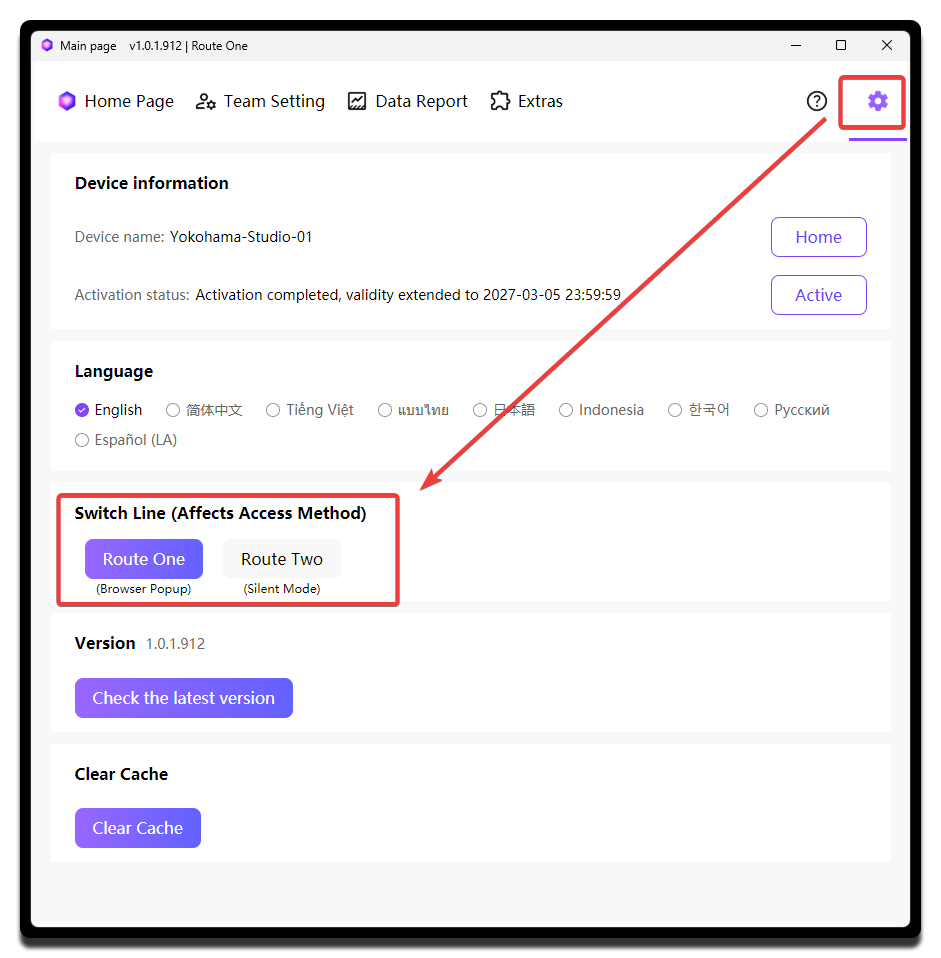
Route One (Browser Popup)
When you use Route One, a browser window will pop up after collection starts.
Do not close the popup browser window
We also strongly recommend logging in to any TikTok account inside that popup browser to maximize collection stability.
Route Two (Silent Mode)
Route Two usually delivers more stable collection performance.
Route Two is recommended
Only switch back to Route One if Route Two cannot collect correctly.